Send /coffee
Meet someone new
Send /coffee in Slack to opt in — we pair everyone who joined for a 1:1 chat over a Slack DM — on the schedule you choose from weekly to monthly
Free for every team — with no limit on how many people join
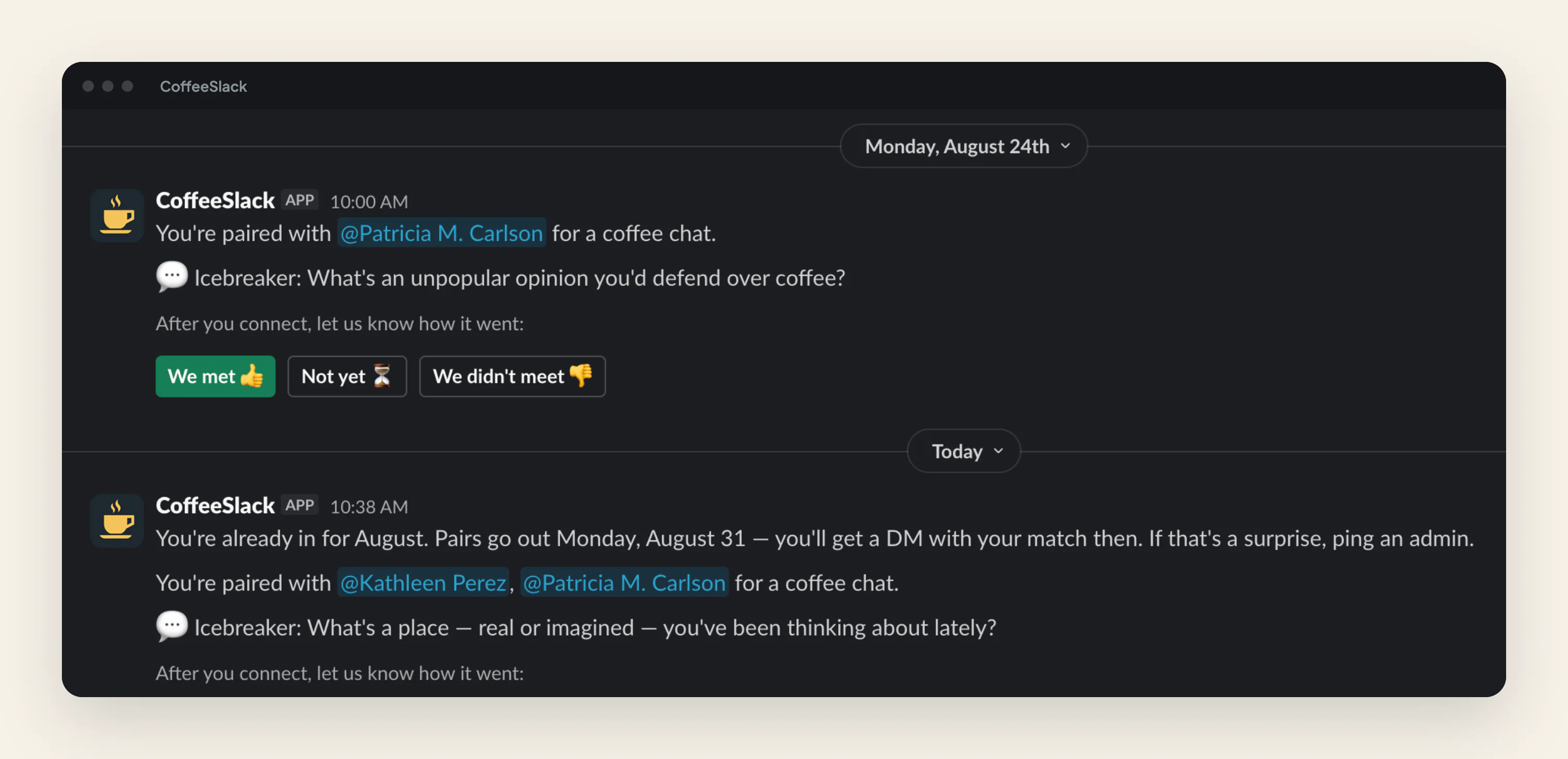
Example of the Slack direct message a matched pair receives — it introduces the two teammates and suggests a conversation starter, with buttons to report whether they met.
How it works
Three steps from quiet channel to real conversation
Type /coffee
One slash command joins you to the next round.
We pair the room
The bot shuffles everyone who joined; odd numbers get a trio.
Say hi in a DM
Each pair gets a DM with a conversation starter.
What it looks like
The whole product, in Slack and one dashboard
Nobody sits out
An odd number of people makes one group of three instead of leaving someone unmatched. Each round is a fresh DM, so the thread becomes a record of who you have already met.
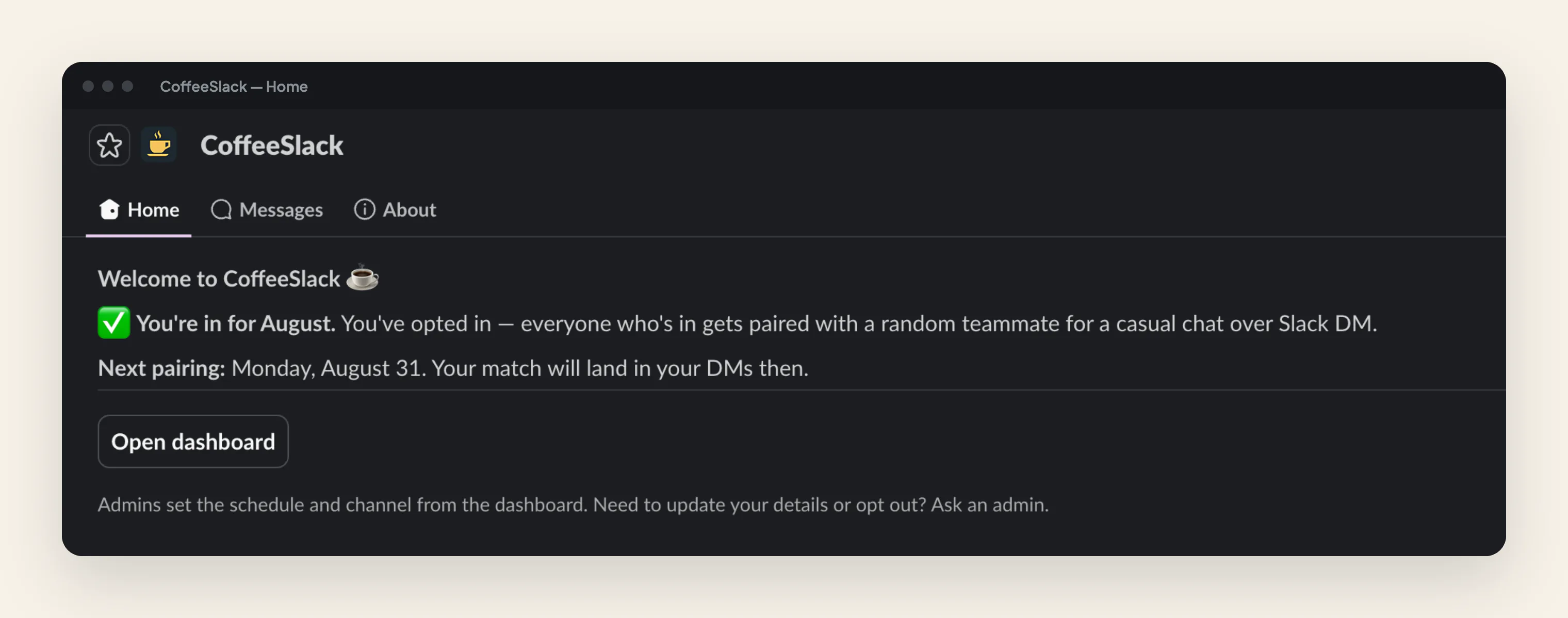
Everything lives in Slack
The app's Home tab shows whether you are in for this round and when the next pairing lands. No new tool for your teammates to learn, and no account to create.
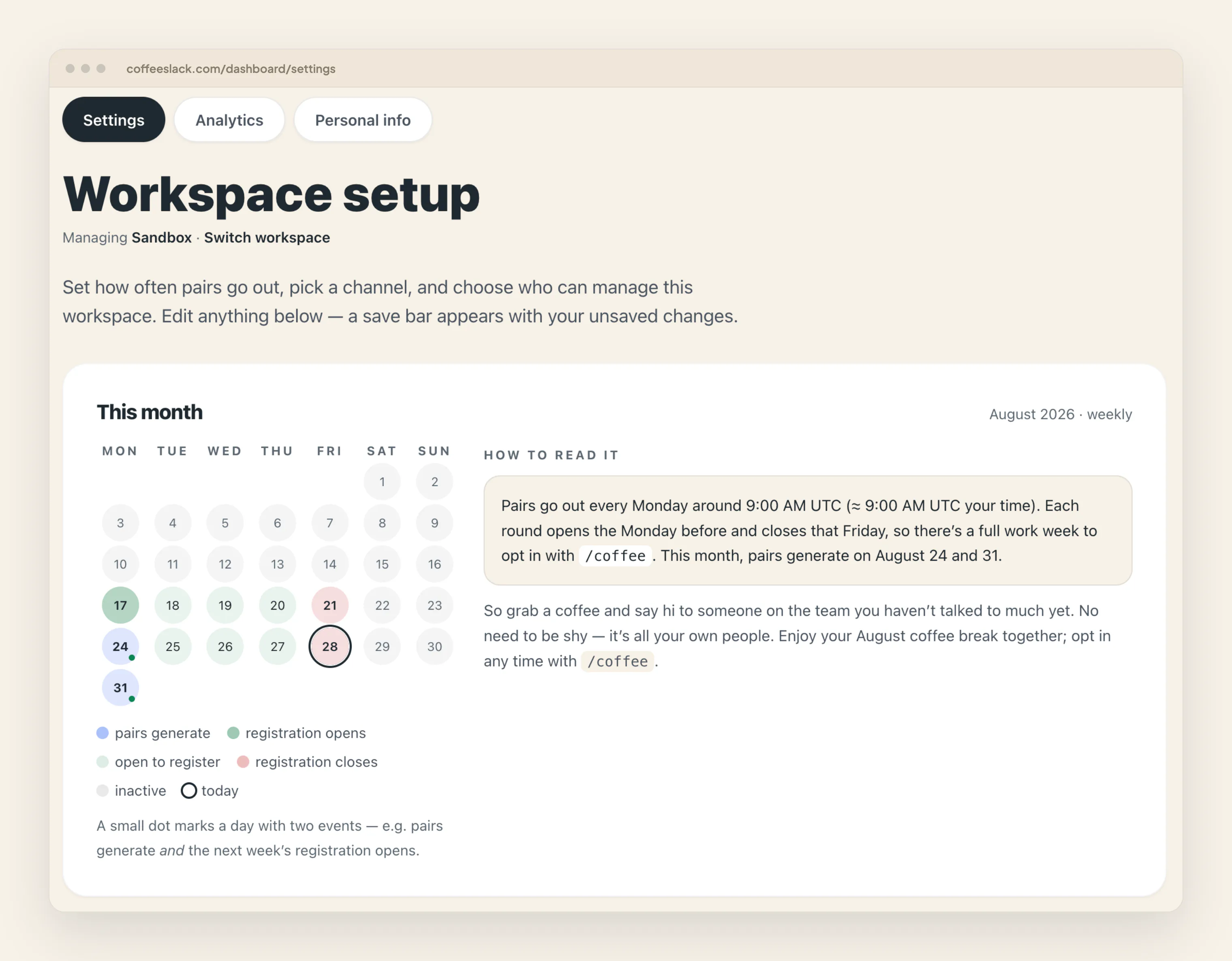
See the whole round before it runs
A calendar of the current month marks when registration opens, when it closes, and the day pairs go out — in your own timezone, with a plain-English explanation beside it.
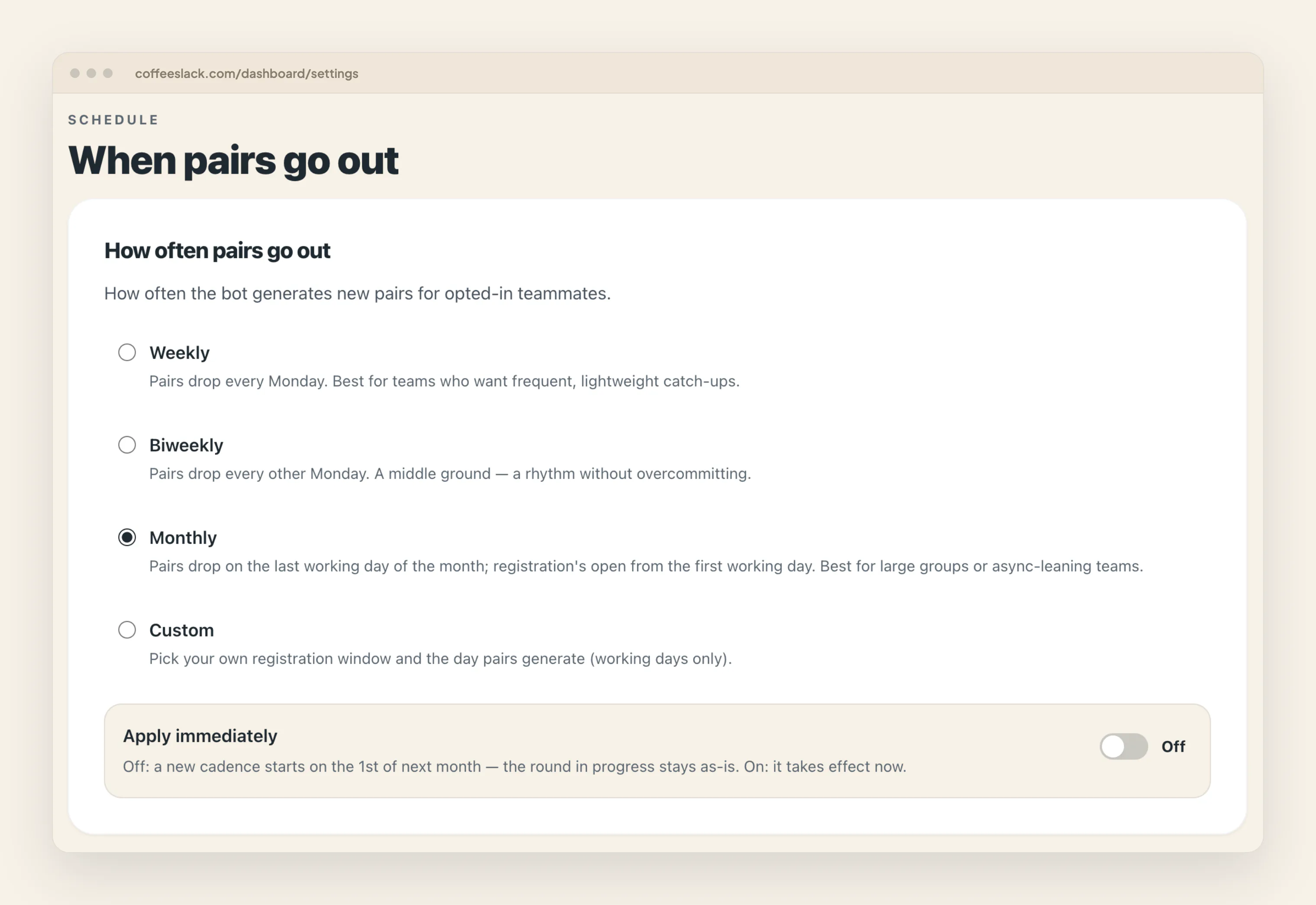
Pick a rhythm that fits
Weekly for frequent catch-ups, every two weeks, monthly for larger or async-leaning teams, or a custom window you choose. Changes can wait for next month so a round in progress is never disrupted.
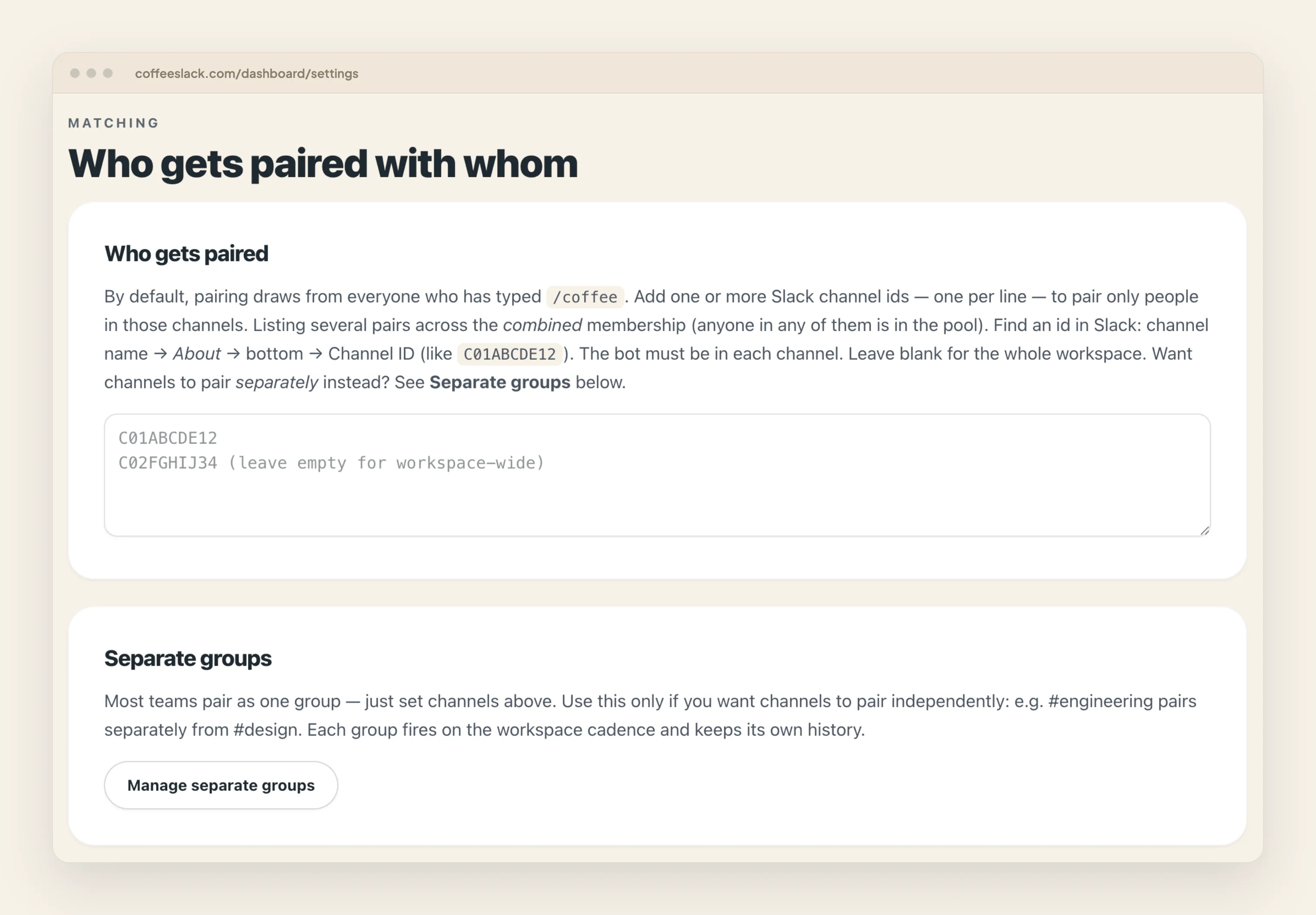
Pair the right people
Scope pairing to one or more channels so only those teams are matched, or run several independent groups side by side — engineering pairing separately from design, each on its own history.
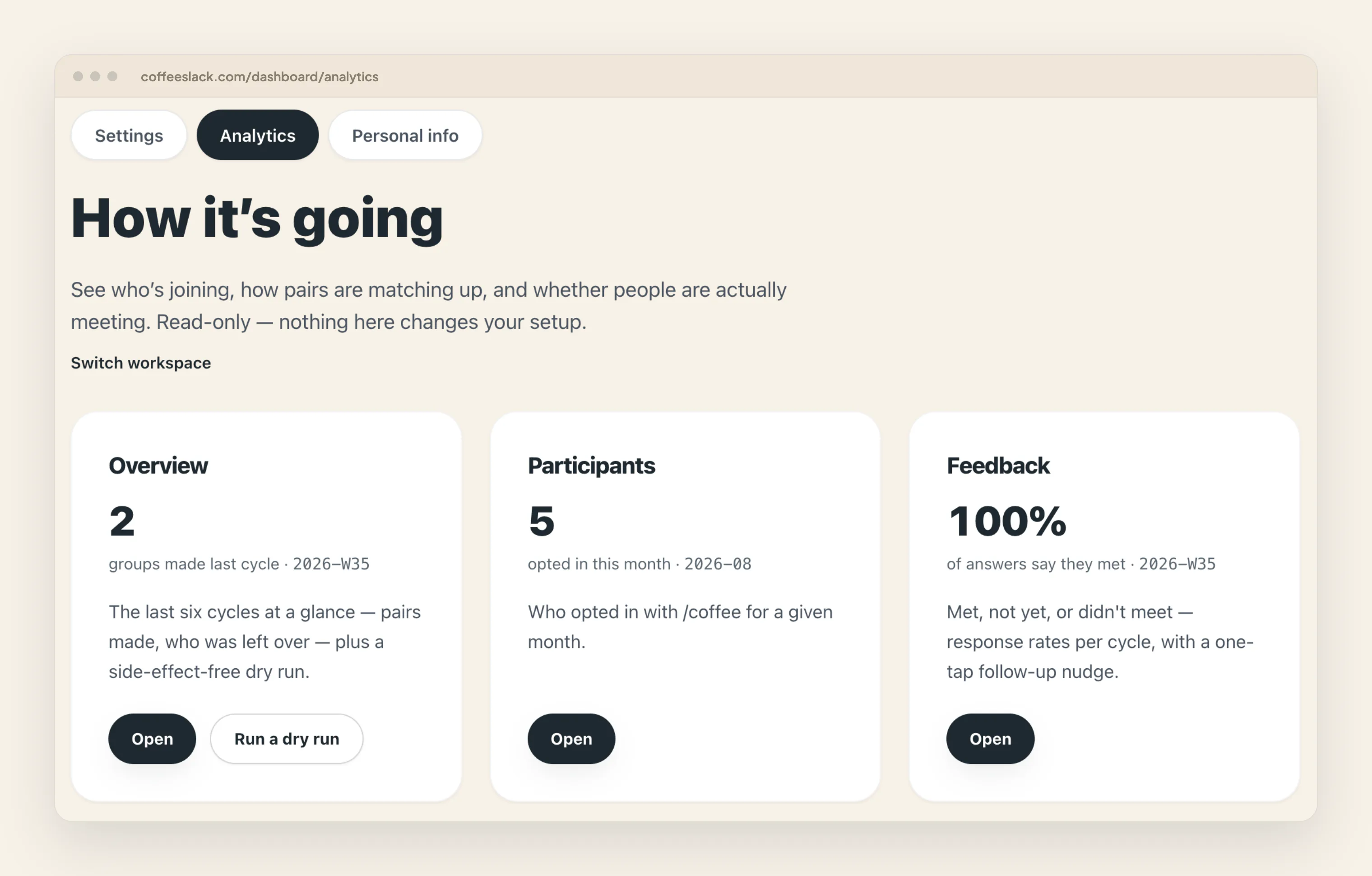
Find out if they actually met
One tap on the intro DM records whether a pair met. The dashboard turns that into a response rate per round, so you can see a cycle that fell flat instead of guessing.
Pricing
Pricing
Free
for every team, no card required
- Unlimited rounds and members
- Custom schedules and prompts
- Admin dashboard and match history
Team
Simple per-workspace pricing after launch
- Everything free today, kept free for early teams
- Priority support
- Multi-workspace management
FAQs
Good to know
Do people need to install anything?
No. One admin adds CoffeeSlack to the workspace once — everyone else just types /coffee in Slack they already have.
What happens with an odd number of people?
One group becomes a trio, so nobody is left out of a round.
Can we control who takes part?
You choose which channels go into the pool. Inside it the pairing is random.
Send /coffee
Meet someone new
Add CoffeeSlack to your workspace and run your first round this week — free for every team, no card required